


Classic Solitaire Klondike
4.66.58K Reviews
App Specs
- Version
- 2.410
- Updated On
- License
- Free
- Downloads
- 1,000,000+
- Developer
- PotatoJam
- Categories
- Card
- Platform
- Android
Screenshots
 Analysis by AppCompare
I have always liked Solitaire as a small, dependable way to fill a few quiet minutes, but many mobile versions make the experience feel busier than the card game itself. Classic Solitaire Klondike takes the opposite approach. It is a focused card game from PotatoJam, built around the familiar Klondike layout rather than extra modes, social systems, or visual clutter. After spending time with it, I found that its main appeal is not novelty; it is how quickly it lets me start a clean game and how little gets in the way while I am playing.
This is a free game in the card category, rated for Everyone. It has reached over a million installs, with an average rating of 4.6 from roughly twenty-eight thousand ratings and about six thousand six hundred written reviews. Those figures suggest that the straightforward design has found a sizeable audience, but they do not tell the whole story. The important question is whether this particular version suits the way you play Solitaire: casually, repeatedly, offline, and with an interest in a compact app rather than a large collection of distractions.
How the everyday Klondike workflow feels
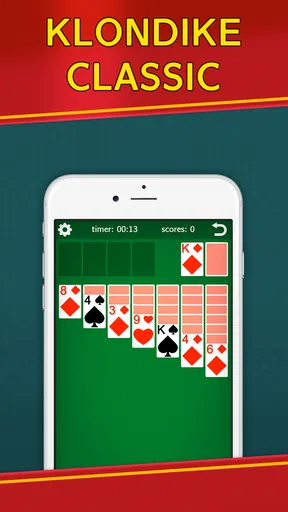
The first thing I noticed is how direct the basic routine is. I open the game, begin a Klondike deal, and concentrate on exposing face-down cards, arranging alternating colors, and moving cards toward the foundations in ascending suit order. That familiar structure is what makes the app easy to recommend to someone who already knows Solitaire. There is no learning curve caused by unfamiliar rules, and a new player can understand the objective after watching the first few moves.
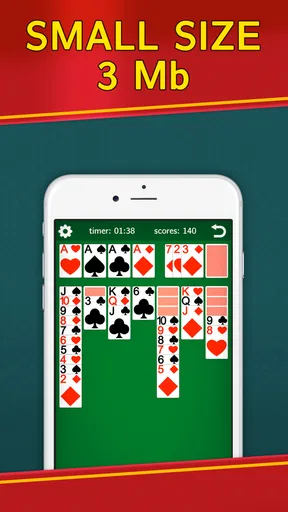
That simplicity works especially well in short sessions. I can play while waiting for an appointment, during a commute without dependable connectivity, or at the end of the day when I want something mildly engaging rather than a demanding game. The small size and emphasis on performance also make practical sense here. A card game does not need elaborate downloads or a complicated interface, and this one feels designed to get out of the way quickly.
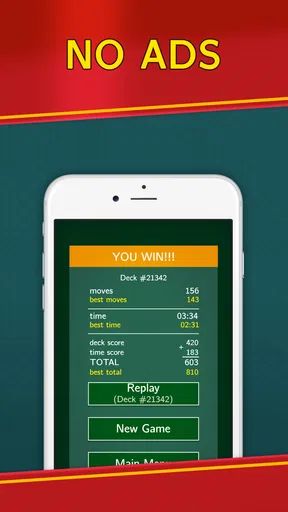
The offline focus is one of the strongest reasons to choose it over many modern alternatives. I do not need to treat a game of Klondike as an online activity, and being able to play without advertisements makes each session feel more continuous. There is no interruption just as I am considering whether to move a red six onto a black seven or hold it back to reveal another card. For me, that calm rhythm is more valuable than a long list of extra features.
A useful everyday habit is to separate “progress” from “speed.” When I first open a deal, I do not immediately chase the fastest possible finish. I scan the tableau for moves that expose hidden cards, check whether a low foundation card is blocking a useful sequence, and only then begin moving cards with more confidence. This prevents the common mistake of sending every available ace or two to a foundation without considering whether the card is still useful in the tableau.
The game is also approachable for family members who may not want a complex digital card platform. Its Everyone age rating reflects that broad accessibility, and the classic rules are easy to explain without introducing competitive pressure. I would happily suggest it to someone who wants a traditional Solitaire experience on a phone, particularly if they prefer a quiet game over one filled with missions and reward screens.
Worth Reading Before You Choose

EA SPORTS FC Mobile 26 Is a Bigger Football Game, but It Takes Time

Flipboard Shows What News Apps Must Do Beyond the Feed

Switching to Android Auto Means Rethinking Your Driving Routine

Google Calendar Makes a Crowded Week Easier to Manage

Ludo King Makes the Most of the Minutes Between Plans

Baby Panda World Brings Quick Play to Modern Phones, but Its Game Library Feels Busy
What I check before making a move
My normal opening scan has three parts. First, I look for moves that uncover face-down cards. Second, I identify empty tableau spaces and consider which king could eventually occupy them. Third, I check the stock and waste situation before committing cards that might be needed to complete a sequence. This is not a special feature of the app; it is a repeatable way of using the clear Klondike layout to make fewer impulsive moves.
One subtle advantage of a clean interface is that it helps me notice the difference between a legal move and a useful move. A legal move may place a card somewhere immediately, but a useful move opens a column, preserves a needed color, or creates a longer sequence. Because the app does not surround the board with unrelated activities, I can focus on that distinction. Players who are new to Klondike may find this especially helpful as they learn why some apparently obvious moves lead to a dead end.
Undo tools are valuable in any Solitaire app, but I try not to use them as a substitute for planning. When I make a move that closes off a column, I undo once, inspect the alternatives, and continue from the better position. This turns the feature into a learning aid rather than a way to test endless random possibilities. It is also a good approach for casual players who want to improve without turning every deal into a serious puzzle.
Settings and habits that are worth checking
Before settling into regular play, I recommend spending a moment looking through the available settings and control options. The most useful choices in a Solitaire game are usually the ones that affect how comfortably you can see and move cards: sound, visual presentation, input behavior, and any options related to restarting or undoing. I avoid assuming that every version handles these controls identically, so I check them directly rather than relying on instructions from another Solitaire app.
Sound is worth considering because Solitaire is often played in quiet places. I usually turn unnecessary audio down when I am in a waiting room or sharing a room, while a player at home may prefer a little feedback for completed moves. The ability to make the game fit the surroundings matters more to me than decorative effects. A restrained presentation is one of the reasons this title feels suitable for repeated short sessions.
I also pay attention to touch accuracy. On a small phone, dragging a card through a crowded tableau can be less comfortable than tapping, especially when several stacks overlap. If the game offers an alternative input method in its settings, I test both before deciding. My preference is whichever method lets me move a whole visible sequence without accidentally selecting a neighboring card. This small adjustment can make a bigger difference than changing the appearance of the cards.
Screen orientation and visibility are practical concerns as well. I play in portrait mode when using one hand, but I prefer a larger view when I am studying a difficult layout. If your phone has a compact display, increasing system text size may not help the cards themselves, so it is better to check whether the game provides its own visual options. The key is to make face-down and face-up cards easy to distinguish without reducing the board to an uncomfortable scale.
Another habit I recommend is beginning each session with a deliberate pause. I let the full layout settle, identify the first few possible reveals, and decide whether the stock should be approached early or later. This takes only a few seconds, but it reduces the tendency to make a move simply because it is available. In Klondike, patience is often a better advantage than speed.
The app’s current version is 2.410, and it runs on Android 5.0 or later. That broad compatibility is useful for people keeping an older phone for simple games, although the experience will still depend on the screen size and touch responsiveness of the device. I would check the game on the phone you actually plan to use rather than assuming that a compact app will feel identical everywhere.
Faster patterns that improve repeat play
Once I became comfortable with the basic workflow, I started using a few repeatable patterns to play more efficiently. The first is to prioritize hidden-card exposure over foundation movement when both options are available. Moving a card to a foundation can feel like progress, but exposing a new tableau card usually creates more possibilities. I only push a card upward immediately when doing so will not remove a useful building block from the tableau.
The second pattern is to treat empty columns as valuable space rather than as an invitation to move the first king I see. An open column can unlock a long sequence, but filling it too early with the wrong king may make the board less flexible. I wait until I can see which king creates the better color arrangement or exposes more hidden cards. This is one of the easiest ways to improve without needing faster fingers.
I also use a “color balance” check before moving long sequences. If the tableau is already short of black cards, placing another red sequence in a way that consumes the available black landing spots can create trouble. I look one or two moves ahead and ask where the next card in the sequence could go. That extra glance is often enough to prevent a move that looks tidy but leaves no useful destination.
When working through the stock, I avoid treating every waste card as disposable. I remember which important low cards have appeared and which ones are still hidden behind the stock or tableau. If a move depends on finding a particular suit, I keep the current arrangement in mind instead of cycling through cards without a plan. This is especially useful in an offline game because there is no pressure to finish quickly; I can play thoughtfully and restart only when the position is genuinely beyond recovery.
For quick sessions, I use a compact routine: reveal a tableau card if possible, make only foundation moves that are clearly safe, preserve kings for empty spaces, and stop when the next move requires guesswork. That routine gives me a satisfying game even when I have only a few minutes. For longer sessions, I slow down and use the undo function to compare choices rather than simply correcting accidental taps.
These habits also explain why I would not judge the app only by whether it offers a large number of modes. The value here is in refining one classic game. Someone who wants a deeper card collection, daily challenges, leaderboards, or a variety of rule sets may find the experience too narrow. Someone who wants to become more consistent at Klondike may appreciate the lack of distractions.
Where the simple design reaches its limits
The same focus that makes the game pleasant can make it feel limited for certain players. If you normally choose a Solitaire app because it includes Spider, FreeCell, Pyramid, themed decks, statistics, or online competitions, this is not the obvious choice. It is centered on classic Klondike, so its appeal depends on whether one familiar format is enough for you.
I also would not recommend it to a player who needs a highly guided learning experience. The traditional layout is understandable, but new players may still need to learn why a move is strategically poor even when the rules allow it. A more instructional alternative with detailed hints or tutorials could be better for someone who wants step-by-step coaching. Here, the player is expected to develop judgment through practice.
There is a trade-off in the offline, no-ad approach too. It keeps the board peaceful, but it may not provide the constant sense of progression found in games built around rewards, unlocks, or daily goals. I see that as a strength for concentration and a weakness for motivation. If you need external challenges to keep returning, the restrained design may feel repetitive after a while.
Another limitation is that a phone screen is still a phone screen. Long sequences can become visually tight, and a small device may require more careful tapping than a tablet. I find the game most comfortable when I am seated and can give the board my full attention. It remains playable in a quick standing session, but crowded layouts are less forgiving when I am moving cards one-handed.
Players should also be realistic about what “offline” means for their routine. The game is well suited to playing without a connection, but anything involving downloading or updating an app naturally depends on having access at the appropriate time. Once installed, the attraction is that a normal deal does not need an active connection or an advertising break. That makes it a sensible companion for travel and low-connectivity situations.
Because the game is free, it is easy to try without committing money. That makes the decision simple: install it, play several deals, and see whether the controls feel natural on your particular device. I would not choose it solely because of its rating or install count. I would choose it because the actual playing style matches what I want: classic rules, a compact experience, and fewer interruptions.
My verdict after making it a regular card game
Classic Solitaire Klondike succeeds by understanding that Solitaire does not always need expansion. PotatoJam has kept the focus on the central activity: dealing a Klondike board, making careful moves, and trying to finish a layout without turning the session into a production. The free price, Everyone rating, offline play, and no-ad experience make it particularly easy to recommend for quiet personal use.
In my experience, the best way to enjoy it is to combine the simple interface with disciplined habits. Check the controls before playing regularly, use a comfortable input method, prioritize hidden-card reveals, and avoid filling empty columns automatically. Those choices make the game feel more deliberate and help reveal the strategic depth that can be missed when Solitaire is treated as a sequence of quick taps.
I would pick this app over a larger Solitaire collection when I want one dependable Klondike game that starts quickly and stays out of the way. I would choose a broader alternative when I want several rule sets, detailed statistics, competitive features, or more guidance. That distinction is important: this is not trying to be an all-purpose card platform, and it is better judged as a clean, focused version of one classic game.
For a person who wants to play during spare moments, on an older compatible phone, or without advertisements interrupting the board, it is a strong fit. For someone who loses interest without new modes or progression systems, the narrow scope may become a drawback. My final recommendation is therefore straightforward: if your ideal mobile game is a calm Klondike deal that respects your attention, Classic Solitaire Klondike is worth keeping installed. Its mastery comes less from hidden complexity than from learning when to move, when to wait, and when a tidy-looking choice is actually the wrong one.
Pros
- Simple
- familiar gameplay that is easy for beginners to learn
- Playable offline
- making it useful during travel or without mobile data
- Quick rounds fit well into short breaks and casual play sessions
- Smooth controls make card movement comfortable on touchscreens
- Suitable for players who enjoy relaxing
- low-pressure puzzle games
Cons
- Frequent advertisements may interrupt games or menus
- Limited variety compared with larger collections of solitaire games
- Random deals can sometimes feel repetitive over extended play
- Some features or themes may require in-app purchases
- Small cards can be difficult to read on compact phone screens
FAQs for Classic Solitaire Klondike
What is Classic Solitaire Klondike?
Classic Solitaire Klondike is a digital version of the traditional single-player card game also known as Patience. The objective is to arrange cards into four foundation piles, one for each suit, in ascending order from Ace to King. Cards are moved between tableau columns in descending, alternating-color sequences, making it easy to learn but challenging to master.
How do you play Classic Solitaire Klondike?
At the beginning of a game, cards are dealt into seven tableau columns, with only the top card of each column face up. You can move cards between columns by placing a lower-ranked card on a card of the opposite color, while Kings can fill empty spaces. Aces and subsequent cards are moved to the suit foundations until all cards are organized.
Does Classic Solitaire Klondike require an internet connection?
Most Classic Solitaire Klondike versions can be played offline after installation, which makes them convenient for travel, commuting, or situations without mobile data. However, features such as advertisements, daily challenges, cloud synchronization, leaderboards, statistics sharing, or optional online events may require an internet connection depending on the specific Android or iOS edition.
Is Classic Solitaire Klondike free to download and play?
Classic Solitaire Klondike is commonly available as a free download, allowing users to play the main card game without paying upfront. Free editions may include advertisements, optional purchases, extra themes, hints, or an ad-free upgrade. Before downloading, check the store listing for the current pricing, in-app purchase details, and any subscription terms.
Is Classic Solitaire Klondike suitable for beginners?
Yes, Classic Solitaire Klondike is generally suitable for beginners because its rules are simple and most versions provide helpful features such as tutorials, undo buttons, hints, auto-complete, and selectable difficulty settings. New players can start by learning how cards alternate colors in the tableau and how each suit is built from Ace through King.


